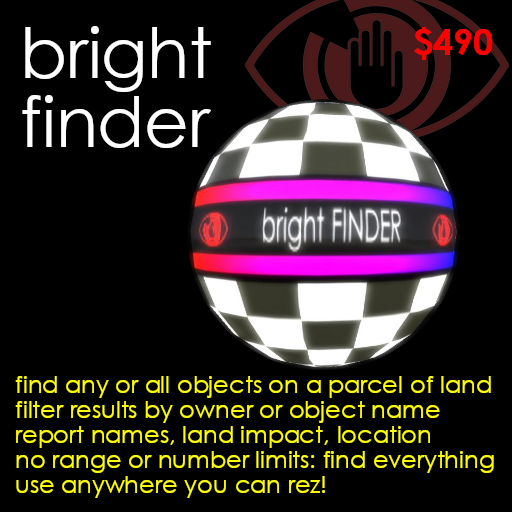
Finds objects by owner or name anywhere on a parcel - any number, any range!
** NEW VERSION! TWICE AS FAST, WITH NEW FEATURES! The latest version of the Bright Finder has been made faster, allows owner selection even on land you don't own, and offers optional comma separated value output for export to spreadsheets! **
If you have lost an object on a parcel...
...Bright Finder will find it.
If visitors to your parcel have lost objects...
...Bright Finder will find them.
If you aren't sure why you are using so many prims in your parcel or rental...
...Bright Finder will list them ALL with a total object & prim count.
In short, the Bright Finder will find and report on all the objects on a parcel of land. You can optionally filter the results by owner, or a search string to be found in object names. You don't even have to own the parcel - you can find items in your rental, your favourite sandbox, or wherever you happen to be - all you need to be able to do is rez the one prim search ball.
To search, just rez the ball, and click it to display a menu with three options. Optionally click [Owner Name] to specify whose objects to find, [Object Name] to specify a string to find in the objects' names, or [Normal/CSV] to select CSV format output, and then click [FIND!] to begin the search.
The ball will turn invisible, and disturb no one as it flies round searching. It will report progress as it goes, and send a message every time it finds an item, giving the items name, owner, land impact, and an SLURL link which will teleport you straight to the object. While it is searching, you don't have to wait - just get on with your day: you don't even have to stay in the same region, the messages will keep coming if you leave.
Most searches are completed within a few minutes, and at the end of the search, the ball will report the number of objects found, the total land impact, and then delete itself. But as the ball is copyable, you can rez another from your inventory whenever you need it.
There are a lot of search devices on Second Life, but most have a range of only 96m, and can find a 32 objects at most - because they make a single use of Second Life's scripting language search function, which can only see 96m and report 32 object names. The Bright Finder is a real search utility, and will search an entire parcel, from 0m to 4096m up in the sky - the entire space you can build in.
Simple, fast, flexible, and comprehensive. Use it to find your objects and manage your own or your visitors land impact: the Bright Finder is *the* serious search tool.
To unpack, drag the "Bright Finder boxed" object from your inventory onto the ground to rez it. Right-click it, click "Open" from the pop-up menu to open a contents window, and click the "Copy To Inventory" button at the moment. This will create a folder called "Bright Finder boxed" in your inventory.
To use your finder, drag the object "Bright Finder" from this folder onto the ground to rez it.
It is a small, black ball. Click it to display this menu:
Will search parcel 'Anne's Land'
for objects owned by *me*
with name name

[FIND!]
[Owner Name] [Object Name] [Normal/CSV]
To find all the objects you own on the current parcel, simply just click "FIND!".
The ball will turn invisible, and fly around the parcel, from 0m to 4096m (the maximum height at which SL allows building) in altitude, reporting all your objects as it finds them.
The search may take seconds on a small parcel, a minute or two on a mid-sized parcel, or more on a parcel which is large, busy, laggy, or irregularly shaped. But you need not wait for it: the Finder will report every object it finds as it runs, their land impact, a clickable link to their owner's profile, and a clickable teleport link to the object itself. (Before clicking a teleport link, make sure you are flying, so that you don't fall if teleported to an object floating in the air.)
So you are free to get on with your day. You will still receive results messages from the Finder even if you teleport to another region. And when the seach has finished, the Finder will report the total number of objects found, their total land impact, and how long the search took.
The search ball will then delete itself - but of course, being copyable, you'll still have a copy in your inventory, ready for the next time you need to run a search.
By default, the Finder will search for objects which belong to you.
If you wish to search for objects belonging to someone else, or all objects regardless of who owns them, click [Owner Name].
Which menu appears depends on whether or not you own the parcel you are searching. If you do own it, Second Life will allow your Finder to extract a list of all the people who own objects on the parcel, and display a menu of the object owners in alphabetical order like this:
[1] Anne Erika [2] Jane Doe [3] Philip
Linden [4] Shan Bright [5] Zak Resident
[6] all groups

[4] [5] [6]
[1] [2] [3]
[<] [Anyone's] [>]
Click a numbered button corresponding to the owner whose objects you wish to find. If you wish the Finder to find objects regardless of their owner, click [Anyone's]. And if there are too many owners to show this menu, click [<] or [>] to page through the list.
If you don't own the parcel, Second Life will not allow your finder access to the list of object owners, so instead, the following dialog box will appear:
Please enter a user name.
Enter 'ME' for your own objects.
Enter 'ANY' for anyone's objects.

[                              ]
[                              ]
[                              ]
[Submit]
Enter the user name of the avatar whose objects you wish to find, and click [Submit].
If you want to search for objects with a particular string in their names click the ball to display the main menu, and then click [Object Name]. The following dialog box will appear:
Please enter part or all of an object name.
Enter 'ANY' for any objects.

[                              ]
[                              ]
[                              ]
[Submit]
So if you are searching for your crashed personal jet, enter "jet" and click [Submit]. The Finder will then report on any object with "jet" in its name, in upper or lower case, including names like "My jet plane" and "JET-POWERED CRAFT".
Normally, the Finder will report each object it finds like this:
FOUND 'Viper Jet Fighter' (f9d94961-596d-0c39-060c-d3a6afeb795c)
owned by Jane Doe:  [link to Jane Doe's profile]
with 30 prim(s) at Eden (24.7,30.4,1201.2) [SLURL teleport link]
To select output in CSV format, click the ball to display the main menu, and click [Normal/CSV]. When CSV format is selected, each object will be reported like this:
"Viper Jet Fighter", f9d94961-596d-0c39-060c-d3a6afeb795c,
[Jane Doe link], 30, "[Teleport link]"
This can be useful if you plan to cut text from your "chat.txt" log, save it as a CSV file, and load it into a spreadsheet. You may need to remove progress messages, and Second Life's chat prefixes ("[08:45] Bright Finder #007: "), to clean the text first.
Note that in CSV format, the object name and teleport link are enclosed in quotes ("), as the name may contain commas, and the teleport link always will. If the object name itself contains quotes, these will be doubled, so an object called MY "HAPPY" JET will be shown as "MY ""HAPPY"" JET". These are common CSV conventions, and most spreadsheets will automatically remove the external quotes, and convert doubled quotes back to single, when they import your CSV file.
When a search begins, you will see this message:
*** YOUR SEARCH IS RUNNING!
It may take a few minutes,
more if the parcel is large, irregular, laggy or primmy.
SO FEEL FREE TO GET ON WITH YOUR DAY!
You'll get progress reports every 60 seconds,
and search results as they come in.
The finder will delete itself when it is finished.

Searching parcel 'Anne's Land'
for objects owned by Jane Doe
with names like ...JET...
The search then enters the first of two phases. The first "maps" the parcel, dividing it into search areas:
Phase 1 of 2: started mapping 2048m2.
The second phease searches each of these areas from 0m to 4096m altitude:
Phase 2 of 2: started scanning 8388608m3.
Note that this huge number is the *volume* of the space to search, in cubic metres or m3. In this case, it is 2048m2 of land multiplied by an altitude of 4096m.
You will then receive messages telling you the percentage of this volume it has searched. And at the end of the search, you'll receive a summary report like this:
*** SEARCH COMPLETE
Searched parcel 'Anne's Land'
for objects owned by Jane Doe
with names like ...JET...
Found 1 object(s) and 30 prim(s) in 2 minutes 10 seconds.
* The results from your search will appear in your "chat window", and if you have chat logging turned on, will also be saved in the chat text log on your PC (usually called "chat.txt"). If you need to keep a record of the items, you can select and press "Control+C" to copy the report from either the chat window or your text log, and then paste it into a notecard or a PC text file. If you choose CSV format results, many spreadsheet programs will allow you to import this: though you may need to remvoe
* Second Life allows objects to send messages to avatars in two ways, called "OwnerSay" and "InstantMessage". Both the names are a bit misleading - you "hear" them both in your "chat" window in the same way. OwnerSay is a little faster, but only works while you are in the same region. InstantMessage is slower, but works even between regions. The Bright Finder will automatically use OwnerSay if you are in the same region, and switch to InstantMessage if you aren't. You won't notice much difference, but as OwnerSay is a little faster, you'll receive your results *slightly* faster if you stay in the region during the search.
* There are a few rather unusual and very rare situations in which the Bright Finder may not find every object. If there are is a large collection of tiny prims all at nearly exactly the same coordinates, the Finder will send a message to explain that it found a cluster too tightly packed to search. Regions also sometimes contain "ghosted" objects which you can stand on but don't appear in the prim count, or which *do* appear in the prim count but don't actually appear in world. Prim ghosts are generally cleared by a sim restart.
* Every now and then, do a search for all your own objects on your parcel of land or in your rented home, and look through the list. It is very easy to accidentally rez things which are too small to see, or in places where they are hidden, where they take up prim space and cause lag from then on, without you even realising they are there. Look through your search results, and if you see anything which shouldn't be there, you have a chance to teleport to it and delete it - a spring clean!
Shan Bright
Chief Executive Officer